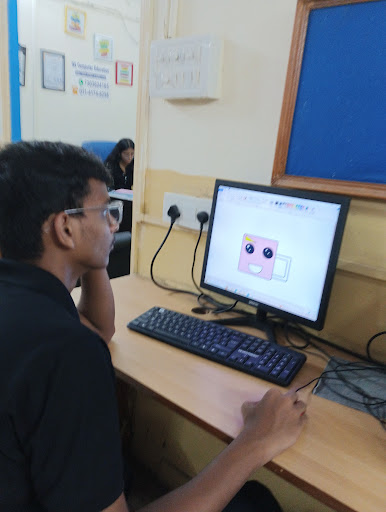
Data Entry Course in Munirka
Are you looking for a Data Entry Course in Munirka to improve your typing speed, computer knowledge and office skills? Data entry is an important task in many organisations, where employees enter, update, organise and maintain digital records accurately.
Whether you are a student, job seeker, beginner or working professional, learning data entry and computer operations can help you develop useful skills for everyday office work.
A practical training programme can introduce you to keyboard skills, English typing, Hindi typing, Microsoft Excel, document formatting, data management and basic computer operations.
If you want to improve your computer proficiency, explore data entry training options in Munirka, New Delhi, and choose a course that matches your learning goals.
Why Choose a Data Entry Course in Munirka?
Data entry involves more than typing information. It also requires accuracy, attention to detail, basic computer knowledge and the ability to organise digital records.
Enrolling in a data entry course can help you develop these skills through structured lessons and regular practice.
Here are some benefits of learning data entry:
- Improve typing speed: Practise typing accurately and efficiently.
- Develop computer skills: Learn essential computer operations and file management.
- Learn spreadsheet management: Use Excel to organise records and maintain data.
- Improve accuracy: Identify typing errors, duplicate entries and incorrect information.
- Build office skills: Learn document preparation, data handling and basic reporting.
- Prepare for further training: Develop a foundation for advanced Excel and computer operator courses.
Choosing a course with practical exercises can help you apply your learning to common office tasks.
What Will You Learn in Data Entry Classes in Munirka?
Joining data entry classes in Munirka can help you understand how information is entered, organised, checked and maintained using computers.
A suitable beginner-level course may include the following topics.
1. Basic Computer Operations
Start by learning how to operate a computer and use its essential features.
Topics may include:
- Introduction to computer hardware and software
- Keyboard and mouse operations
- Windows operating system basics
- Creating and organising files and folders
- Copying, moving and saving documents
- Using printers and scanning documents
These fundamentals help beginners become more comfortable with everyday computer tasks.
2. English Typing Practice
English typing is useful for preparing documents, entering records, writing emails and completing office assignments.
During an English typing course, you can practise keyboard familiarity, finger placement, typing accuracy, punctuation and commonly used words.
Regular typing exercises can help improve speed over time. Beginners should focus on accuracy first and gradually increase their typing pace.
3. MS Word for Data Entry
Microsoft Word is useful for creating and formatting documents.
You may learn how to prepare letters, applications, lists, reports and other office documents. Training can also cover text formatting, tables, page layouts, printing and document saving.
These skills are useful when information needs to be presented in a clear and organised format.
4. MS Excel for Data Management
Microsoft Excel is widely used to maintain records and organise structured information.
A data entry course may introduce you to:
- Entering and editing spreadsheet data
- Formatting rows, columns and cells
- Sorting and filtering information
- Creating tables
- Using basic formulas
- Identifying duplicate records
- Saving and printing spreadsheets
Excel skills can help you maintain student records, inventory lists, customer details, attendance sheets and other types of information.
5. Accuracy and Data Verification
Correct data entry is important because mistakes can affect reports, records and business decisions.
Learn how to review entries, check spelling, verify numbers, identify missing information and compare records against source documents.
You can also practise maintaining consistent date formats and avoiding duplicate entries.
6. Internet and Email Basics
Many office tasks involve online communication and digital document sharing.
Learn how to browse websites, send and receive emails, attach files, download documents and follow basic online safety practices.
These skills complement data entry training and support everyday office work.
Computer Typing Classes in Munirka for Beginners
If you want to become more confident using a keyboard, computer typing classes in Munirka can provide structured practice for improving typing accuracy and speed.
Typing is useful for students, office assistants, data entry operators and anyone who regularly works with digital documents.
A typing programme may cover:
- Keyboard layout and key recognition
- Correct finger placement
- Touch typing fundamentals
- Word and sentence typing exercises
- Numbers and punctuation
- Timed typing tests
- Accuracy improvement techniques
Practising for short periods regularly can help develop consistency. Avoid focusing only on words per minute; accuracy is equally important.
Before joining, ask whether the course includes progress tracking and practice exercises suited to your current skill level.
Hindi Typing Classes in Munirka
Hindi typing is useful for preparing documents and entering information in Hindi, particularly in workplaces where Hindi-language records and communication are required.
Hindi typing classes in Munirka can help learners become familiar with Hindi keyboard layouts, typing methods and common typing exercises.
Depending on the programme, you may learn:
- Hindi keyboard layout fundamentals
- Unicode Hindi typing
- Common Hindi words and sentences
- Hindi document preparation
- Typing accuracy and speed practice
- Saving and formatting Hindi text
Some courses may teach specific keyboard layouts, such as InScript or Remington-based layouts. The appropriate option depends on your intended use.
If you are preparing for a typing test or recruitment examination, confirm the required keyboard layout, software and typing standards in the official notification before enrolling.
English Typing Course in Munirka
An English typing course in Munirka can help you develop keyboard skills for office work, academic tasks and computer-based examinations.
Beginners can start with individual keys and short words before progressing to longer passages and timed exercises.
A structured course may focus on three important areas.
Typing speed: Learn to type more efficiently through regular practice.
Typing accuracy: Reduce spelling mistakes, missing characters and incorrect punctuation.
Consistency: Maintain an appropriate pace when typing longer documents.
Your progress depends on regular practice and your starting skill level. Choose a course that allows you to monitor improvement instead of relying on a single typing test.
Typing Training Institute in Munirka: How to Choose the Right Centre
Selecting a suitable typing training institute in Munirka can help you practise consistently and develop better computer skills.
Before enrolling, consider these factors:
Practical Training Facilities
Check whether the institute provides computers and sufficient time for individual typing practice.
Course Syllabus
Ask whether the programme includes English typing, Hindi typing, data entry, Word and Excel, according to your requirements.
Trainer Support
Beginners may benefit from guidance on keyboard placement, typing errors and practice techniques.
Flexible Batch Timings
Choose a schedule that suits your school, college, work or other commitments.
Course Fees and Duration
Confirm the complete fee, course duration, batch timings and any examination or certificate charges.
Certificate Details
If the course offers a certificate, check the issuing organisation and any assessment requirements.
Comparing these details can help you select a programme that meets your learning needs.
Computer Operator Course in Munirka
A computer operator course in Munirka may be suitable for learners who want to develop broader computer and office administration skills alongside data entry.
Computer operators often perform tasks involving document preparation, record maintenance, spreadsheets, printing and digital information management. Actual responsibilities vary by employer.
A computer operator training programme may include:
- Basic computer applications
- MS Word and MS Excel
- File and folder management
- English and Hindi typing
- Internet and email
- Printing and scanning
- Basic data management
- Office documentation
If you want to work in an administrative or office support role, combining computer operations with accurate typing and spreadsheet skills can be a useful starting point.
For specific job applications, check the employer’s educational qualifications and computer skill requirements.
Career Opportunities After Data Entry Training
Data entry and computer training can help you develop skills relevant to various entry-level roles. The opportunities available depend on your qualifications, practical ability, experience and the employer’s requirements.
Possible roles to explore include:
Data Entry Operator: Enter, update and maintain digital records.
Computer Operator: Perform routine computer operations and office tasks.
Office Assistant: Support document preparation, record keeping and administrative work.
Back Office Executive: Help maintain records, process information and support internal operations.
Typing Operator: Prepare documents and enter information using a computer.
Data Processing Assistant: Support information checking, updating and processing.
A short training course does not guarantee employment. Building typing accuracy, spreadsheet knowledge and practical computer proficiency can help you prepare for relevant job requirements.
How to Improve Your Data Entry and Typing Skills
You can improve your skills by following a consistent practice routine.
- Practise typing daily: Start with short exercises and increase the difficulty gradually.
- Focus on accuracy: Correct errors before trying to type faster.
- Learn keyboard shortcuts: Become familiar with common shortcuts for editing and navigating documents.
- Practise Excel: Enter records, organise tables and use basic formulas.
- Work with sample data: Practise maintaining lists, forms and simple reports.
- Review your mistakes: Identify recurring errors and work on correcting them.
- Track your progress: Compare your typing speed and accuracy over time.
Regular practice can help you become more confident and efficient when working with computers.
Frequently Asked Questions
The frequently asked questions for this topic are provided in a separate HTML section below, with a responsive accordion and Call and WhatsApp buttons.
Enquire About a Data Entry Course in Munirka
Learning data entry, typing and computer operations can help you develop practical skills for education and office-related tasks.
Whether you want to improve your English typing, learn Hindi typing, practise Excel or develop broader computer operator skills, choose a course that offers regular hands-on practice.
Compare the syllabus, class timings, training facilities and fees before making your decision.
Ready to improve your computer skills? Contact your preferred computer training institute in Munirka to ask about course details, available batches, practical training and certificate options.
Start practising today and take the next step towards becoming more confident with data entry and computer operations.
Frequently Asked Questions
Want to learn data entry, typing or computer operations in Munirka? Find answers about course topics, Hindi and English typing, practical training and career preparation.
01 What is taught in a Data Entry Course in Munirka? +
A data entry course may cover basic computer operations, English typing, MS Word, Excel, file management, data verification and record maintenance. The exact syllabus depends on the training institute and course level.
02 Can beginners join data entry classes in Munirka? +
Yes. Beginners can start with keyboard basics, computer operations and simple typing exercises before progressing to Word, Excel and data management. Choose a course that provides guided practice and support.
03 What are the benefits of computer typing classes in Munirka? +
Computer typing classes help learners practise keyboard familiarity, typing accuracy, punctuation and speed. Regular practice can improve efficiency when preparing documents, entering records and completing computer-based tasks.
04 Are Hindi typing classes available in Munirka? +
Hindi typing training may cover Hindi keyboard layouts, Unicode text entry, document preparation and timed practice. Ask the institute which keyboard layout and typing software are included before enrolling.
05 Who should join an English typing course in Munirka? +
Students, job seekers, office workers and beginners can consider English typing training. Lessons may include keyboard practice, spelling, punctuation, accuracy and timed typing exercises according to the learner's level.
06 How do I choose a typing training institute in Munirka? +
Compare the syllabus, computer facilities, practical sessions, trainer support, course duration, batch timings and fees. If you need a certificate, confirm the issuing organisation and assessment requirements.
07 What is included in a computer operator course in Munirka? +
A computer operator course may cover computer fundamentals, MS Word, Excel, typing, file management, email, printing and basic office documentation. Check the course syllabus to confirm which topics are included.
08 Can a data entry course help me get a job? +
Data entry training can help you develop skills relevant to data entry, office assistance and computer operator roles. Employment depends on your qualifications, practical skills, experience and the requirements of each employer.
Ready to Learn Data Entry and Typing?
Not sure whether to start with data entry, Hindi typing, English typing or computer operations? No problem! Contact us to discuss your learning goals and ask about the syllabus, practical classes, fees and available batches. We are happy to help you choose a suitable course.