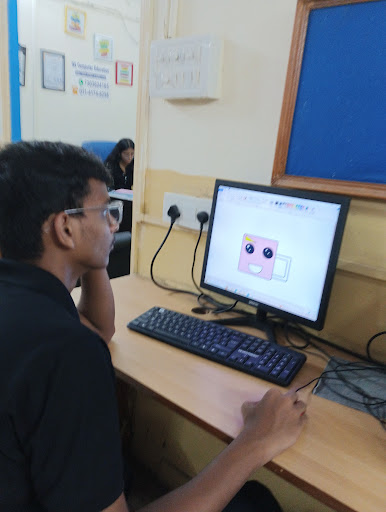
Advanced Excel Course in South Ex
Excel is an essential skill in many office, accounting, administration, data management and reporting roles. Learning advanced Excel can help students and working professionals organise information, analyse data, prepare reports and complete everyday tasks more efficiently.
If you are searching for an advanced Excel course in South Ex, choose a training programme that combines clear explanations with practical exercises. Regular practice with formulas, data tables, charts and reports can help you build confidence using Microsoft Excel in real-world situations.
Why Learn Advanced Excel in South Ex?
Microsoft Excel is widely used to maintain records, calculate figures, manage databases and prepare business reports. Developing these skills can be useful for freshers, college students, job seekers and professionals who want to improve their computer knowledge.
An advanced Excel programme can help you move beyond basic data entry and learn how to organise larger datasets, apply formulas and present information clearly.
What Will You Learn in Excel Classes in South Ex?
Well-structured Excel classes in South Ex should include practical training in commonly used Excel tools. The exact syllabus may vary depending on the institute and course level, but the following topics are useful to learn.
1. Excel Formulas and Functions
Learn how to use formulas to perform calculations and manage information. Topics may include SUM, AVERAGE, COUNT, IF, SUMIF, COUNTIF, text functions, date functions and lookup functions such as VLOOKUP and XLOOKUP, depending on the Excel version used.
2. Sorting, Filtering and Data Management
Learn to organise records, sort information, apply filters, remove duplicate entries and use data validation. These skills are helpful when working with customer lists, attendance records, sales data and office databases.
3. PivotTables and PivotCharts
PivotTables help summarise large amounts of data into meaningful reports. With guided practice, you can learn to group, filter and compare information, then use PivotCharts to present findings visually.
4. Charts, Reports and Dashboards
Learn to create charts and organise important figures into readable reports. Dashboard exercises may include summary tables, charts, key performance indicators and slicers, depending on the syllabus.
5. Conditional Formatting and Data Validation
Use conditional formatting to highlight values based on specific rules. Data validation can help control what users enter into a worksheet and improve the consistency of records.
6. Practical Office Reporting
Practise preparing spreadsheets for everyday office tasks, such as sales summaries, inventory lists, attendance reports, expense tracking and monthly MIS reporting.
Who Should Join an MS Excel Course in South Ex?
An MS Excel course in South Ex may be suitable for:
- Students who want to develop practical computer skills.
- Freshers preparing for office-based job opportunities.
- Working professionals who regularly use spreadsheets.
- Accounts, administration and operations staff.
- Business owners who manage records and reports.
- Job seekers interested in MIS, reporting and data-related roles.
If you already understand basic computer operations and Excel fundamentals, an advanced course may be a useful next step. If you are new to spreadsheets, check whether the programme includes beginner-level revision.
How to Choose an Excel Training Institute in South Ex
Before enrolling in an Excel training institute in South Ex, compare the course syllabus, practical class time, trainer support, batch timings and certificate details.
Look for a programme that gives you sufficient time to practise independently rather than relying only on demonstrations. Ask whether you will complete exercises using real-world examples and whether the trainer will help you correct mistakes and understand formulas.
It is also useful to confirm the total fee, course duration, class schedule and any additional charges before admission.
MS Office Training in South Ex
Excel is one part of Microsoft Office skills. MS Office training in South Ex may also cover Microsoft Word, PowerPoint and other commonly used office applications.
Word is useful for creating letters and documents, while PowerPoint helps prepare presentations. Learning Excel alongside these applications can help you develop a broader set of office productivity skills.
If you want to improve your overall computer knowledge, ask about the difference between an advanced Excel programme and a complete MS Office course before choosing.
Advanced Computer Course in South Ex
An advanced computer course in South Ex may include more than spreadsheets. Depending on the programme, it can cover advanced office applications, internet use, file management, office documentation and other practical computer skills.
Choose the course based on your current knowledge and career goals. If your primary objective is to improve reporting and spreadsheet skills, focus on Excel formulas, PivotTables, charts and data analysis. If you need broader computer training, compare the syllabus of a complete advanced computer course.
Build Practical Excel Skills With Regular Practice
Learning Excel becomes easier when you practise consistently. Start with simple datasets, use formulas to solve small problems, organise records, create charts and gradually move towards PivotTables and dashboards.
Before joining a course, ask about the available syllabus, practical assignments, batch timings and certificate eligibility. Select a programme that matches your experience level and gives you opportunities to apply what you learn.
Looking for an advanced Excel course in South Ex? Contact the training team to enquire about the syllabus, class timings and admission details.
Call: 7303624165
WhatsApp: 7303624165
Frequently Asked Questions
Planning to learn Advanced Excel in South Ex? Explore answers about Excel training, formulas, dashboards, MS Office courses and practical learning before enrolling.
01 What is taught in an Advanced Excel Course in South Ex? +
An Advanced Excel course may cover formulas, lookup functions, PivotTables, PivotCharts, conditional formatting, data validation, dashboards and reporting. The exact syllabus varies by institute. Look for practical assignments that help you apply these features.
02 Can beginners join Excel classes in South Ex? +
Yes. Beginners can start with spreadsheet basics, cell formatting, simple formulas and data entry before progressing to advanced functions and dashboards. Ask whether the course includes beginner-level training.
03 How do I choose an Excel training institute in South Ex? +
Compare the syllabus, practical computer sessions, trainer support, batch timings, course fees and certificate details. Ask whether you will practise formulas, PivotTables, charts and reporting through hands-on assignments.
04 What is the difference between MS Office and Advanced Excel training? +
MS Office training generally covers applications such as Word, Excel and PowerPoint. Advanced Excel training focuses more deeply on spreadsheet formulas, lookup functions, PivotTables, dashboards and data analysis.
05 Is Advanced Excel useful for office jobs? +
Excel is used for record management, calculations, reporting and data analysis in many workplaces. Advanced Excel skills can be useful for administrative, accounting support, sales reporting and other roles, depending on the employer's requirements.
06 Can I learn Data Analytics after Advanced Excel? +
Yes. Advanced Excel provides a useful foundation for data analysis. You can progress to SQL, Python and data visualisation to develop broader analytical skills. Choose further training according to your experience and learning goals.
Ready to Upgrade Your Excel Skills?
Not sure whether to choose Advanced Excel or complete MS Office training? No worries! Contact us to discuss your learning goals, course syllabus, practical sessions, fees and available batch timings. We will be happy to help you explore your options.